
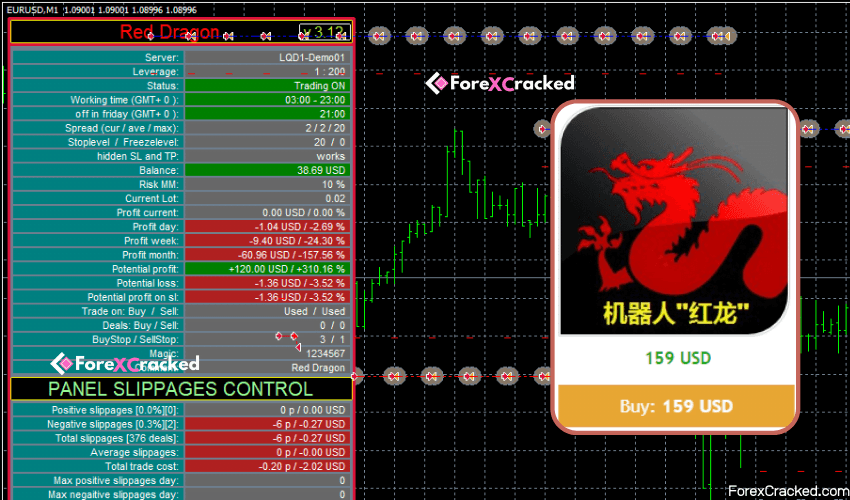

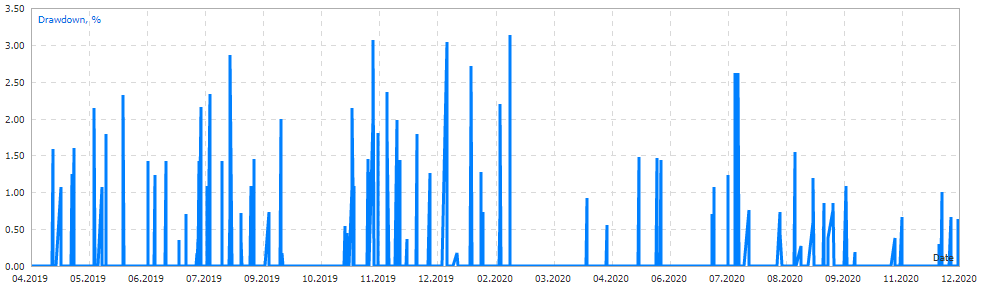
EA Red Dragon is work based on the breakdown of the most important support and resistance levels. It uses an adaptive trade trailing algorithm. Red Dragon EA always uses a very small SL so the account is mostly protected from big-equity drawdown with a very low risk-per-trade.
This free forex EA has an information panel that contains a collection of statistics of the algorithm. Red Dragon EA was backtested and optimized using real ticks with 99,9% quality and successfully passed multiple stress testing. It also doesn’t utilize Martingale, GRID, Averaging, and other dangerous strategies.
Recommendations
- Minimum account balance of 100$
- Work Best On EURUSD. (work on any pair)
- Work best on M30 Time Frames
- Low Spread ECN account is recommended (Find the Perfect Broker For You Here)
- Use this free forex EA on a VPS with minimal network latency to the broker’s server(Reliable and Trusted FOREX VPS â€?nbsp;FXVM)




Download a Collection of Indicators, Courses, and EA for FREE
Input Parameters
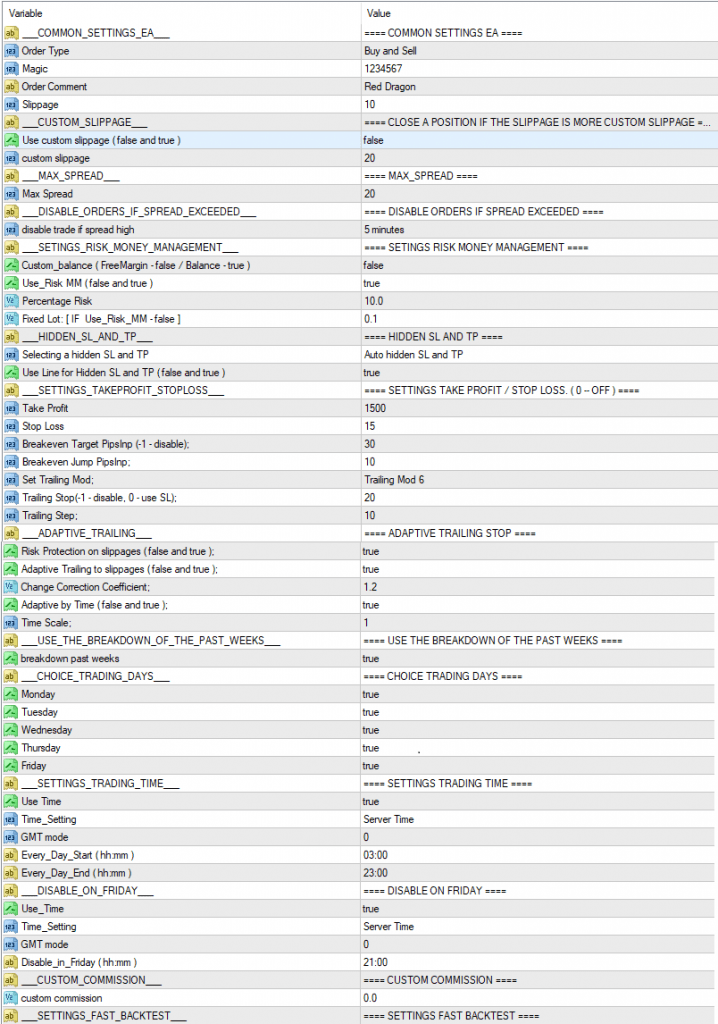
- Order Type —�/strong>Trade direction.
- Magic —Â?/strong>The magic number of the EA’s orders.
- Order comment —Â?/strong>A comment to the EA’s trades.
- Slippage —�/strong>Allowable slippage before an order triggers.
- Use custom slippage —�/strong>When set to true, the EA will close orders is slippage is above custom slippage.
- custom slippage —�/strong>Slippage value to close orders.
- Max Spread —�/strong>Maximum Spread allowed before pending order triggers.
- disable trade if spread high —�/strong>Disable trading for some time (from 5 minutes to 24 hours) if the average spread exceeds Max Spread.
- Use_Risk_MM —�/strong>When set to true, lot size is increased together with account balance increase (Risk Management).
- Percentage_Risk �Lot size increase based on the balance value (Risk Management in %).
- Lot —Â?/strong>Fixed lot value (if Use_Risk_MM – false).
- Take_Profit —�/strong>take profit level in points.
- Stop_Loss —�/strong>stop loss in points.
- Trailing Stop �Trailing Stop points when the position is in profit. (-1 = off, 0 = Stop_Loss ).
- Trailing Step â€?Trailing Step points when the position is in profit. Â
- breakdown past weeks —�/strong>When set to true, the EA uses breakdown of past weeks.
- Adaptive Trailing Stop:
- Risk_Protection_on_slippages —�/strong>If true, the EA also applies position closure in case of a slippage.
- Adaptive_Trailing_to_slippages —Â?/strong>If true – adaptive trailing stop.
- Change_correction_coefficient —�/strong>Trailing sensitivity coefficient.
- Adaptive_by_Time —�/strong>Algorithm of adaptive trailing by time.
- Time_Scale —�/strong>time interval for price analysis.
Trading within the week:
- Monday —�/strong>When set to true, trading on Monday is allowed.
- Tuesday —�/strong>When set to true, trading on Tuesday is allowed.
- Wednesday —�/strong>When set to true, trading on Wednesday is allowed.
- Thursday —�/strong>When set to true, trading on Thursday is allowed.
- Friday —�/strong>When set to true, trading on Friday is allowed.
Time trading within a day:
- Use time �when set to true, trades in certain time intervals.
- Time_Setting �server time or computer time.
- GMT_mode â€?GMT offset of the broker server time. (0 – not used).
- Every_Day_Start —�/strong>operation start time (HH:MM).
- Every_Day_End —�/strong>operation end time (HH:MM).
Friday close time:
- Use time —�/strong>If true, trades at a certain time.
- Time_Setting �server time or computer time.
- GMT_mode â€?GMT offset of the broker server time. (0 – not used).
- Disable_in_Friday —�/strong>operation end time on Friday (HH:MM).

- Read More SkyNet EA �[Cost $139] �For FREE




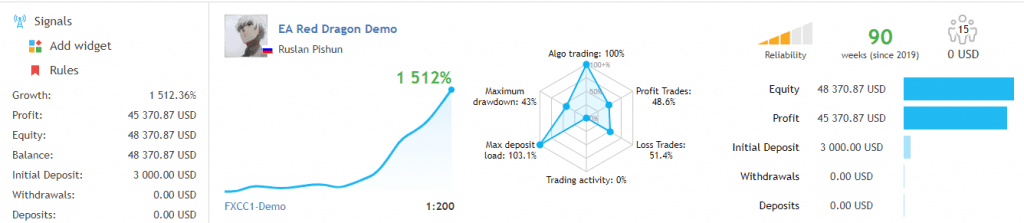
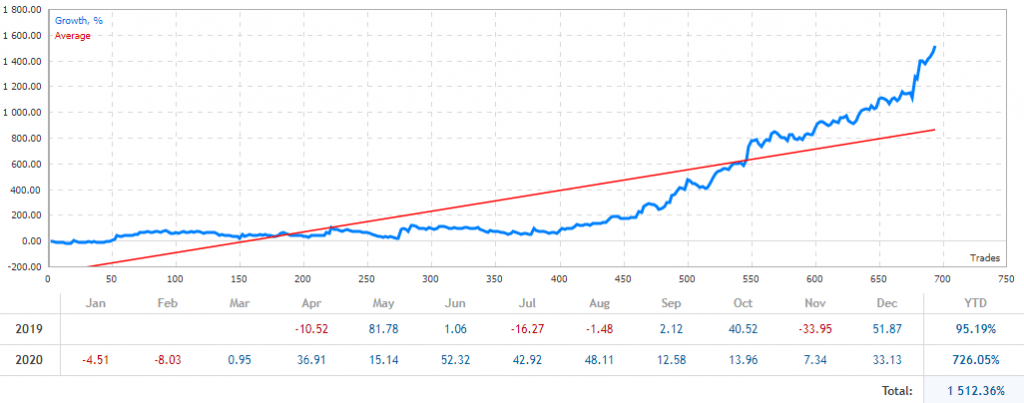
horrible in backtest
EA Red Dragon EA
Admin can you Post The MG PRO EA
Hi anyone can send a good robo EA link.
admin sir
can you crack the REDSHIFT OR BLUESHIFT EA’s
I need that two
where is the download link?!
hello, where is the link?
hello, where is the link?
Please I need more details on installation, both the EA and Vps
This EA work best on eurusd and gold ,1HRTF, $2000_0.01 LOT